

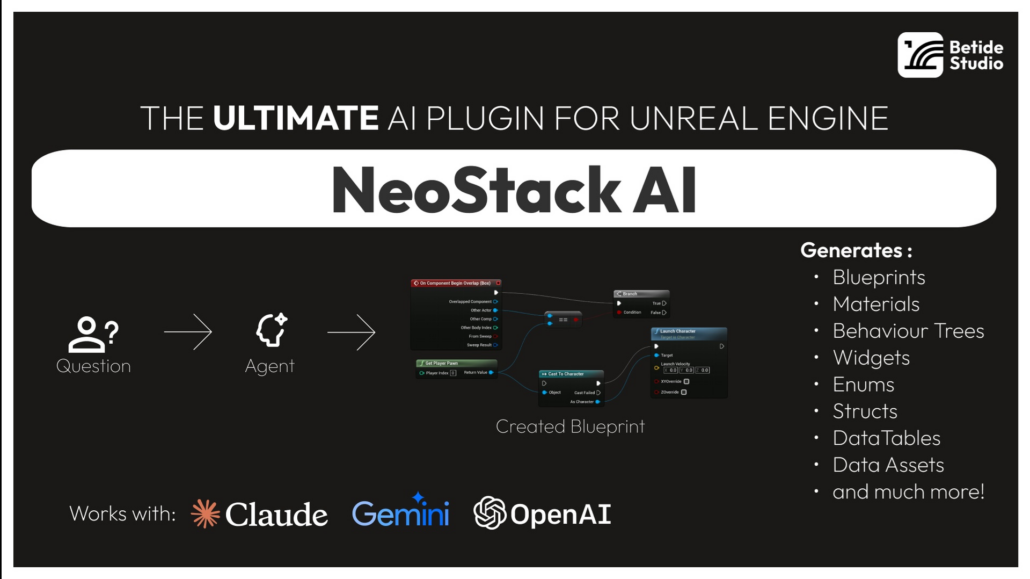

I am currently the NeoStack AI Plugin by BETIDE STUDIO. The NeoStack AI plugin is currently in Beta and was originally released on the Epic FAB store on January 20, 2026. I am currently testing the latest beta version (v0.3.1) which was released on 2/9/2026.


The developer is constantly releasing updates and fixes so I expect I will be constantly updating the plugin while it is in Beta. I am looking forward to seeing how the Agent Integration plugin evolves over the next several months.
To give you a perspective of how rapidly the plugin is evolving, here is a list of updates that were released over the last couple of weeks:
The v.0.3 beta update which released the other day added the following features and fixes:
- Composite Graphs, Comments, Macros, Local Variables, Component, Reparenting, Blueprint Interfaces are now supported! (This means agents now can do 100% of things that you can in regards of Blueprints)
- Almost 500+ additional checks added over the plugin to reduce the number of crashes. Just want to say, if you crash, please let us know! We want to take the number of crashes to 0
- Subconfigs added which means you can configure what tools a profile has
- Session Resume has been fixed – No need to tell the agent what you already have
- You can now see Usage Limits for OpenAi Codex/Claude Code in the plugin (See Image)
- Codex Reasoning Parameter is now supported
- Task Completion Notifications — Toasts, taskbar flash, and sound playback when the agent finishes (Configurable)
- Montage Editing made better
- Pin Splitting/Recombining & Dynamic Exec Pins is now supported
- GitHub Copilot Native CLI support added
- Fixed Packaging Issues if using Plugin
- Class Defaults editing — ConfigureAssetTool can now set Actor CDO properties like bReplicates, NetUpdateFrequency, AutoPossessPlayer
- Last-used agent persistence — Remembers which agent you used last instead of defaulting to Claude Code every time
- Fixed issues with if you already are using the port for MCP
The v.0.2 beta update from the week before added the following new features and fixes:
- Full Animation Montage editing!
- Enhanced Input support! Create & edit Enhanced Input assets
- Agent can now see what’s in your viewport! Captures the active viewport as an image with camera info
- Level Sequencer has been completely rewritten
- Agent can now set any node property directly on Behaviour Trees
- BT reads now always show full node tree + blackboard details. Blueprint vars show replication flags. New readers for Enhanced Input & Gameplay Effects. Level Sequence reads are way more detailed now
- New “Think” toggle for Claude Code — control how much the agent reasons
- Streaming no longer bounces — smooth throttled updates
- Message layout redesigned — cleaner look
- Session saving no longer freezes UI on tab switch
- Server now blocks browser requests by default (CSRF protection)
- 24 Crash Fixes (It is still in Beta!)
Prior to releasing the beta plugin, Betide Studio published a standalone Windows & Mac version of the tool called NeoAI. NeoStack AI now works across virtually every major Unreal Engine system as it is a native Unreal Engine Plugin. It currently supports the following Unreal Engine systems:
- Blueprints
- Materials
- Animation Blueprints
- Behaviour Trees
- State Trees
- Structs
- Enums
- DataTables
- Niagara VFX
- Level Sequences
- IK Rigs
- Animation Montages
- Enhanced Input
- Motion Matching
- PCG
- MetaSounds
- and much more planned over the next several months
NeoStack AI is currently priced at $109.99 on the FAB Store. You can read more about all the different features here.
It currently works with Claude, Gemini and OpenAI CLI. Claude Code & Gemini CLI integration requires those tools to be installed separately. I personally prefer using my OpenRouter API Key so I can pick which AI model to use depending on the which development task I am currently doing. Betide Studio currently recommends using Claude Code as it works best for creating Blueprint logic while the other models produce less than desired results. The best part of NeoStack AI is that you get to choose which model to use (400+) and how much you want to pay for tokens. You can even use the free models available on OpenRouter (e.g. GLM, DeepSeek, Qwen Coder, etc.) if you don’t want to pay for tokens and you just want to play around with it.
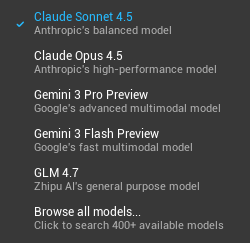
The Default Agent LLMs listed in the OpenRouter Dropdown menu are the following:

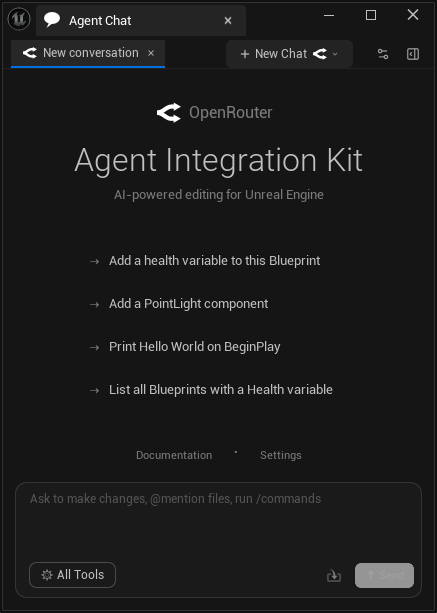
Once you install the plugin and properly configure it, you get access to this Agent Chat Window. I configured the plugin to connect to OpenRouter with my API Key:

I’ll provide a follow up on my beta testing process after I have tested the plugin over the next several weeks.